


Losing critical business data can feel like the world has stopped. Whether it’s due to a system crash, natural disaster, or cyberattack, the damage can be costly, not just in dollars but also in terms of lost time and trust. That’s why having a reliable offsite data backup is more than a safety net; it’s a smart move for any business that wants to stay ready for the unexpected. In fact, an ITPro 2025 report found that 57% of businesses recovered data from backups instead of paying ransom demands, showing how offsite and immutable backups are becoming one of the most effective defenses against ransomware attacks.
Unlike local storage, offsite data backup solutions keep your information protected in a different location, so even if something goes wrong at your office, your files stay safe and recoverable. Today, many companies rely on backup options, like cloud data backup and managed backup services, to automate and simplify this process. For a growing business looking to secure files, customer data, and essential systems, this could be just what you need. Struggling with outdated systems or manual backup routines that don’t hold up in a crisis? It’s time to rethink your data protection strategy, reach out to our IT Support experts in Houston to set up a reliable, offsite backup solution that keeps your business data safe.
In this blog, we will explore what is offsite data backup and the top benefits of offsite data backup solutions for businesses.
What is Offsite Data Backup For Business?
Offsite data backup refers to storing a copy of your business data at a location separate from your office or physical workplace. This backup can be saved on a secure cloud server or in a remote data center. The main goal is to keep your important files safe, even if something happens to your computer or local system.
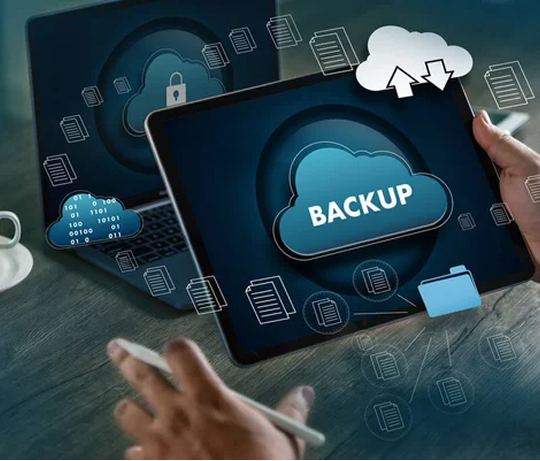
Here’s the importance of data backup:
- It protects your data from local issues, such as fire, theft, or system failure.
- It keeps a copy of your data in a different, safe location.
- You can access your files from anywhere if your office systems stop working.
For many companies, cloud backup or managed backup services are the most common and reliable methods for handling this. It’s an easy way to ensure your business data is always safe, no matter what happens.
6 Benefits of Offsite Data Backup for Business
1. Protection Against Disasters
Offsite data backup is one of the most reliable ways to protect your business from disasters like floods, fires, cyberattacks, or system failures. When your data is stored offsite, primarily through trusted cloud data backup or offsite data backup solutions, it stays safe even if your local systems are damaged or go offline.
This backup method reduces the risk of losing essential business files and helps you recover faster with less downtime. For any company focused on staying prepared, offsite storage should be a key component of your data backup and business continuity/disaster recovery plan.
2. Redundancy and Reliability
Redundancy and reliability are crucial to ensuring the safety and security of your business’s data. Offsite backups provide additional protection by creating redundant copies of your critical information in secure, geographically diverse locations. This redundancy minimizes the risk of data loss due to unforeseen events such as hardware failures, natural disasters, or cyberattacks.
Storing data offsite improves the overall strength of your backup strategy. Whether you choose a cloud data backup or any other option, having a reliable and redundant system means your business can recover quickly and continue running with minimal downtime. It’s a crucial component of any comprehensive offsite data backup plan for small businesses, focusing on long-term protection, security, and operational continuity.
3. Data Security
Data security is a critical aspect of business operations, and offsite data backup plays a crucial role in ensuring the protection and integrity of your company’s information. By storing copies of your data in an offsite location, you can safeguard against cyberattacks, natural disasters, or hardware failures that could compromise your primary data storage systems.
Offsite backups provide an added layer of security by keeping your data safe from onsite risks, allowing for quicker recovery in emergencies. Implementing a robust offsite data backup strategy is essential for businesses looking to mitigate risks and ensure the continuity of their operations in the face of unforeseen events.
4. Compliance Requirements
Compliance is a key reason why offsite data backup is essential for your business. Many industries, particularly healthcare, legal, and finance, are required to adhere to strict rules to protect sensitive information. Using a secure offsite data backup solution helps your business meet these standards by keeping data safe from cyber threats, system failures, or natural disasters.
Storing data offsite demonstrates that your business prioritizes data protection. It reduces the risk of non-compliance, which can lead to legal issues or costly fines. Having a reliable backup system in place also supports business continuity and builds trust with clients and regulators alike.
5. Cost-Effective
Offsite data backup provides a cost-effective method for businesses to safeguard critical information without incurring the high costs associated with on-site storage. Solutions like cloud backup help reduce the risk of data loss from cyberattacks or system failures. By avoiding downtime and recovery expenses, a reliable offsite data backup solution can save your business time, money, and stress.
Furthermore, offsite data backup services often offer scalable solutions, allowing businesses to pay for the needed storage without the added expense of maintaining on-premises infrastructure. In the long run, the cost savings provided by offsite data backup far outweigh the investment required to implement and maintain these services.
6. Automatic Backup
Automatic backup is a crucial component of offsite data backup for businesses. By setting up automatic backups, companies can ensure that their data is consistently and securely backed up without manual intervention. This helps to minimize the risk of data loss in case of unexpected events such as hardware failures, cyberattacks, or natural disasters.
Automatic backups also save time and resources by eliminating the need for employees to remember to back up files regularly. With automatic offsite data backup, businesses can have peace of mind knowing that their critical information is protected and easily recoverable when needed.
4 Offsite Backup Options for Businesses
When it comes to protecting your business data, choosing the right offsite backup method is key. Different options offer various benefits, and the best one depends on how your business operates, the amount of data you need to store, and how quickly you want to recover that data in the event of an issue.
1. Cloud Data Backup
Cloud data backup is one of the most widely used solutions today. It stores your data on secure cloud servers, giving you access from anywhere with an internet connection. It’s simple to set up, scales easily as your data grows, and often includes automatic updates. This makes cloud backup for businesses a smart choice, looking for both flexibility and protection.
Many businesses still rely on outdated storage methods that risk data loss and slow recovery. Our Houston-based Cloud Services Provider delivers fast, scalable, and automatic backup options built for today’s needs. Get expert support now!
2. Managed Backup Services
These are ideal for businesses seeking a hands-off approach. Your backup provider takes care of everything, from setup and daily backups to monitoring and recovery. This means less time spent by your internal team and more confidence that your offsite data backup solution is being handled professionally.


3. Hybrid Backup Solutions
Hybrid backup solutions offer the best of both worlds. You keep a local copy of your data for fast recovery and also store an offsite copy for added protection. It’s a balanced approach, especially for companies that can’t afford long downtimes.
4. Offsite Tape Backups
Offsite tape backups are a more traditional option, where data is saved to physical tapes and stored in a secure location away from the office. While this method is slower in terms of recovery, it’s still used by some businesses for long-term, cost-effective storage.
By understanding these offsite backup options, you can make a more informed decision on how to keep your business data secure and ready when you need it most.

In Conclusion
In today’s digital world, protecting your business data is not just a smart move; it’s a necessity. A reliable offsite data backup strategy, whether through cloud data backup, managed backup services, or hybrid solutions, helps safeguard your operations against unexpected threats such as cyberattacks, hardware failures, and natural disasters. By investing in the right offsite data backup solution, you ensure business continuity, data security, and long-term peace of mind.
Secure your business against data loss before it’s too late, partner with PennComp for reliable data backup solutions and keep your operations running smoothly. Contact us today!
Frequently Asked Questions (FAQs)
1. Will offsite backup slow down our internet?
Not usually. Most systems run backups in the background and outside peak work hours to avoid affecting daily operations.
2. What’s the biggest risk of not having offsite backup?
Permanent data loss. Without a separate backup location, a single incident can wipe out critical business information.
3. Can ransomware still affect offsite backups?
If backups are properly secured and separated from your main network, they are much harder for attackers to damage or encrypt.
4. When do we need on-site vs. off-site backups?
- On-site backups are useful for quick restores after small issues like accidental deletion or minor hardware failure.
- Off-site backups are critical when disasters, theft, fire, or ransomware could affect your entire office and local systems.
Most businesses should use both for full protection.
5. What kind of data should be backed up offsite?
Customer records, financial data, emails, project files, and any information you couldn’t afford to permanently lose.


